
Problem & Solution
Handheld gaming consoles offer impressive portable performance, but their native physical interface is inherently limited for desktop setups. Gamers looking to transition from mobile play to a desktop monitor or TV often face single USB-C port bottlenecks, lack of stable viewing angles, cable clutter, and unstable wireless connections during multiplayer sessions.
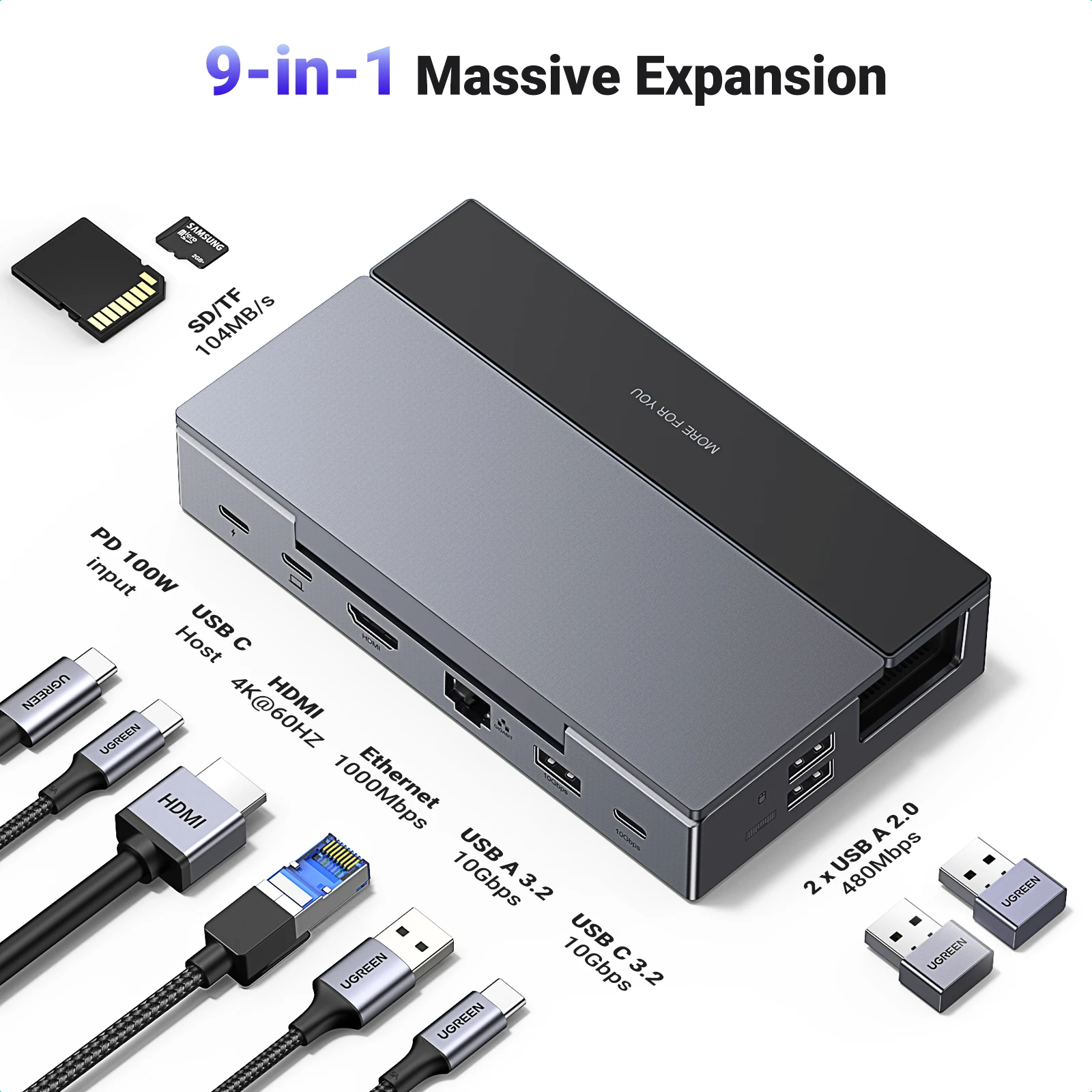
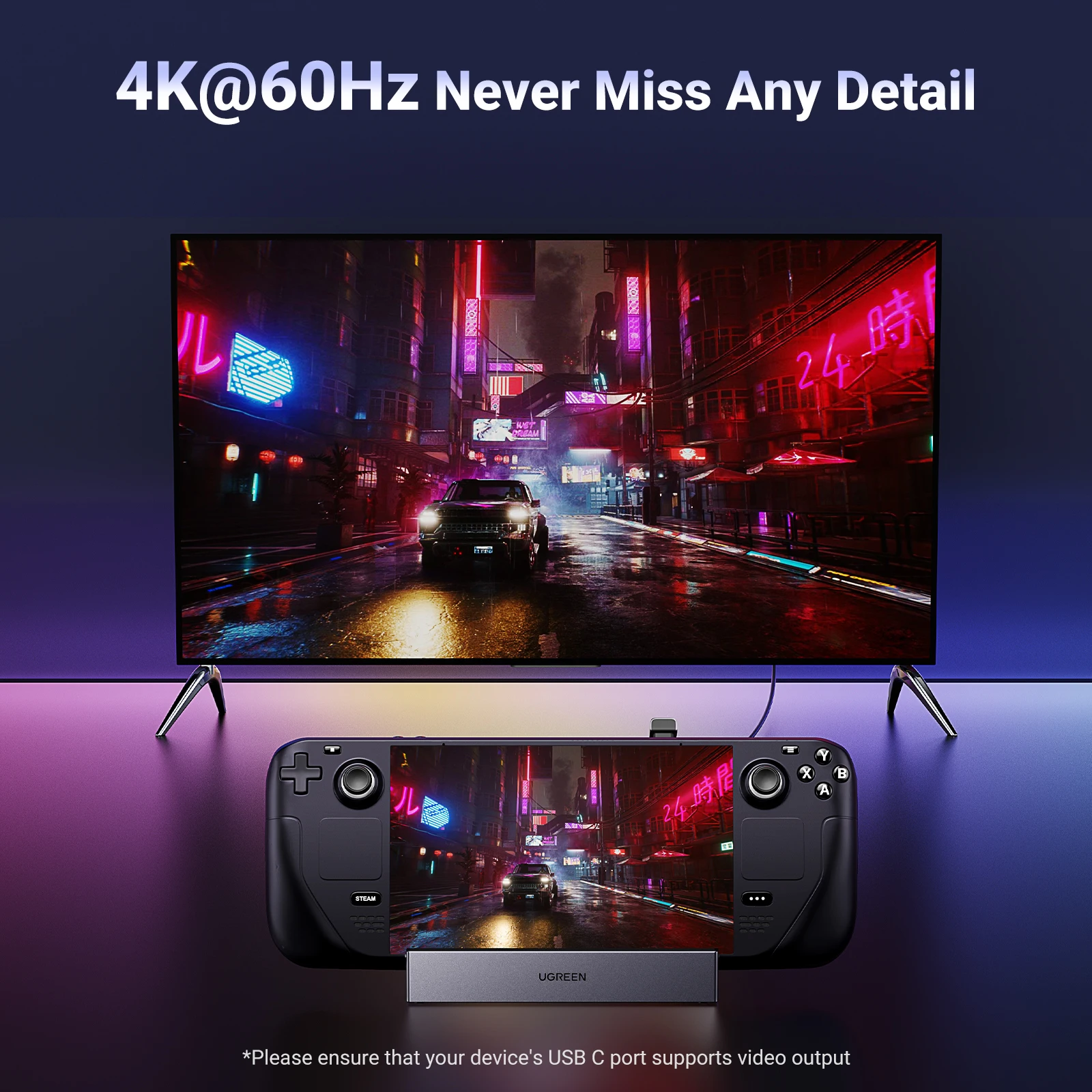
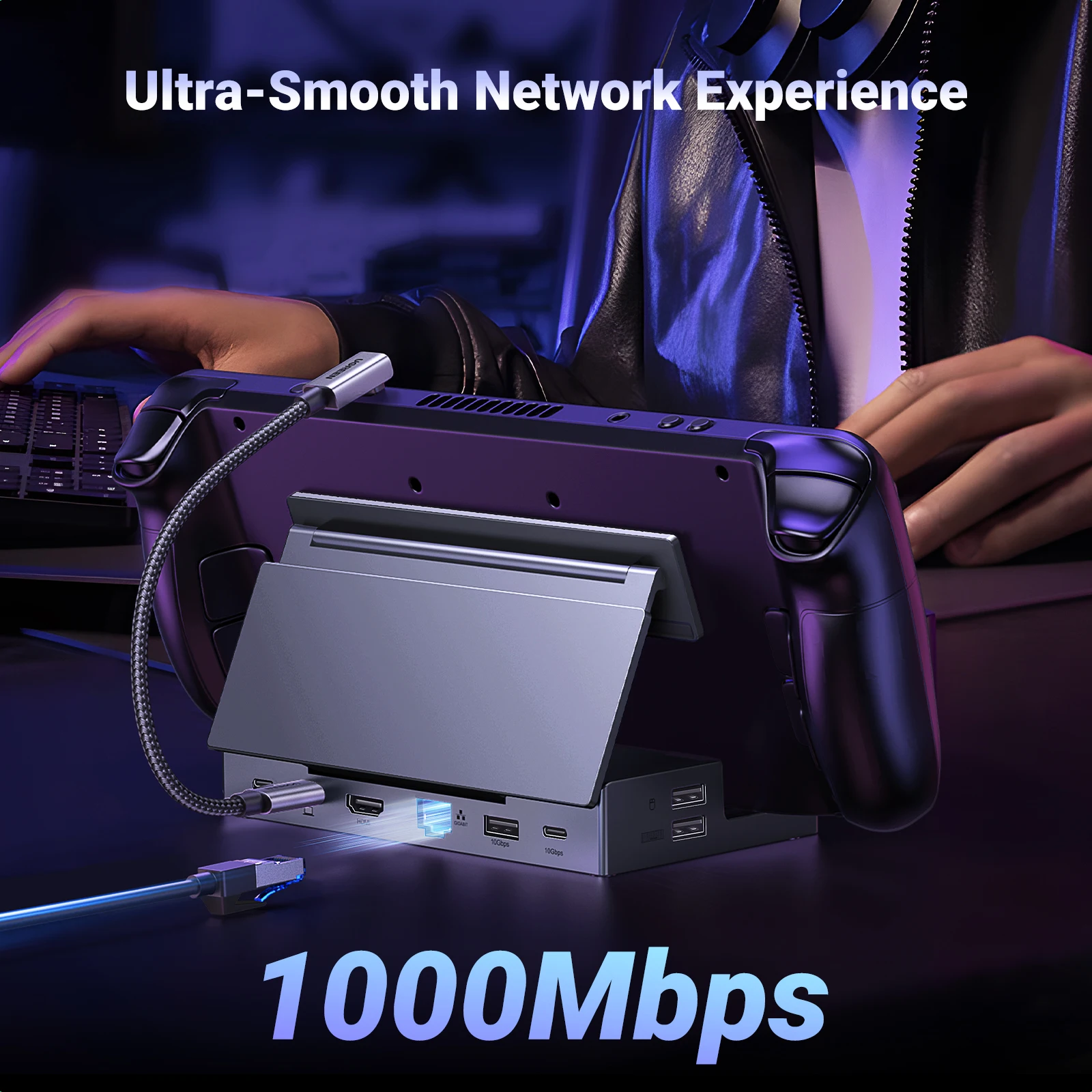
The UGREEN Steam Deck Dock 9-in-1 USB C Docking Station addresses these friction points by combining an integrated foldable stand with multi-port expansion. Instead of balancing the console against temporary props or managing separate dongles, this hub secures the device while expanding a single port into a comprehensive interface for display output, wired networking, high-speed data transfer, and charging pass-through.
Who Is It For?
This docking station is designed for Steam Deck owners and handheld PC gaming enthusiasts who frequently switch between portable play and desk or couch setups. It is ideal for users needing wired LAN stability, external controller or keyboard connections, and big-screen output for desktop mode or couch gaming.
It also suits mobile gamers who prioritize compact travel gear, as the foldable stand structure reduces bulk in carrying bags compared to rigid, non-collapsible desktop docks.
Key Features
- 9-in-1 Hub ExpansionTransforms a single USB-C port into multiple connections for external displays, peripherals, storage, and networking simultaneously.
- Foldable Stand MechanismAllows adjustable angle positioning for viewing while collapsing flat for compact storage and travel.
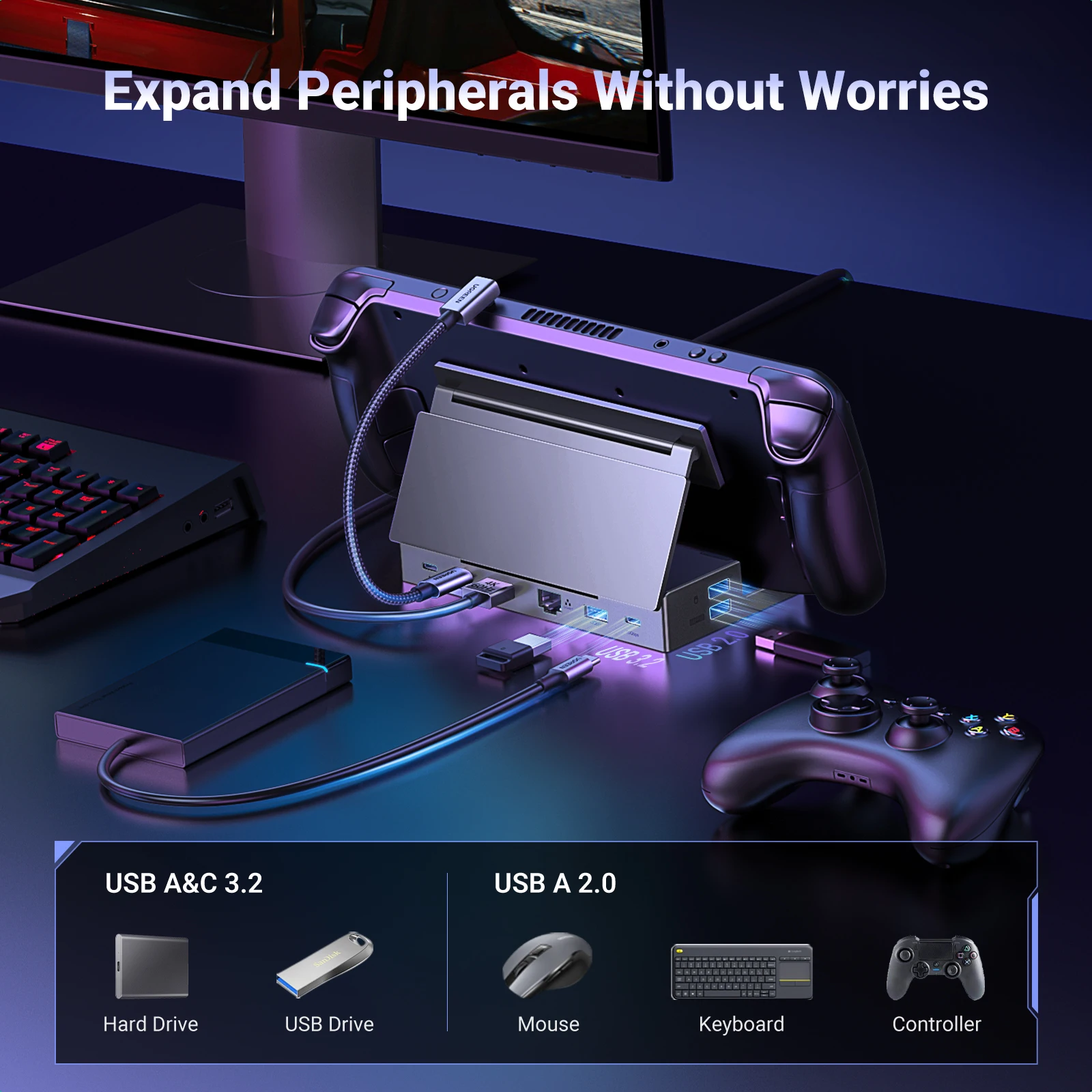
- Dedicated Console RestHolds the handheld console upright securely to ensure rear intake vents maintain proper airflow clearance during docked play.
- Integrated USB-C Host CableConnects directly into the top port of the console without requiring additional extension cords.
- Multi-Port Peripheral ConnectionsProvides USB ports for connecting external gamepads, keyboards, mice, or flash drives.
- Wired Ethernet RJ45 InterfaceDelivers stable network connections for large game updates and online multiplayer stability.
Technical Specifications
| Form Factor | Foldable Stand Docking Station |
| Host Interface | Integrated USB-C Cable |
| Total Ports | 9-in-1 Expansion Hub |
| Primary Compatibility | Steam Deck & Compatible USB-C Handhelds |
| Network Port | RJ45 Ethernet Interface |
| Video Output | HDMI Port (Requires DisplayPort Alt Mode) |
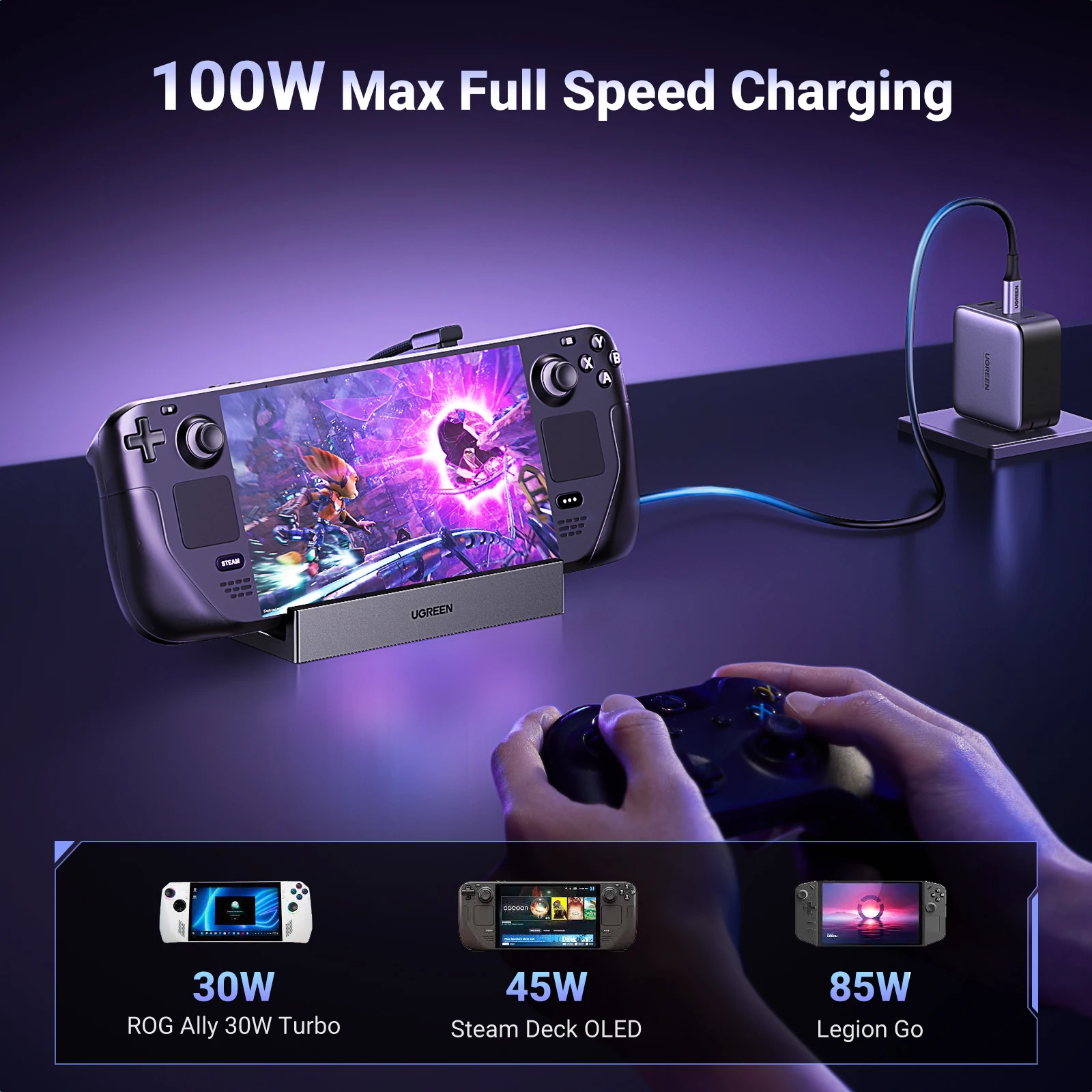
| Power Pass-Through | USB-C Power Delivery (PD) Input Port |
| Build Design | Collapsible Hinge with Non-Slip Support Pads |
Pros & Cons
Pros
- Foldable design makes it significantly more portable than fixed-angle docking stands.
- Comprehensive 9-in-1 port expansion eliminates the need for secondary USB hubs.
- Keeps the handheld device upright to maintain rear airflow clearance during operation.
Cons
- Hinge tightness and long-term tension should be verified when supporting heavier handheld devices.
- Compatibility with protective cases depends on the thickness of the installed shell.
- Exact Power Delivery input wattage and display output resolution limits must be verified in technical documentation.
FAQ
While designed with dimensions tailored for handheld gaming devices like the Steam Deck, standard USB-C connectivity generally allows operation with compatible USB-C handhelds, laptops, or tablets that support DisplayPort Alt Mode and USB Power Delivery.
Compatibility with protective cases depends on the thickness of the shell. Ultra-thick or heavy-duty armor cases may exceed the depth clearance of the dock's front shelf.
Docking stations in this category typically operate via pass-through power, requiring you to connect your console's charger or a compatible USB-C Power Delivery adapter to the dock's power input port.
The stand architecture is contoured to support the lower frame of the device, leaving rear ventilation intake grilles exposed during docked operation.
Final Verdict
Recommended for Steam Deck users seeking a portable 9-in-1 expansion hub with an adjustable foldable stand. Skip if you require a permanently fixed desktop unit or if your protective case is exceptionally thick. Verify your charger's Power Delivery capacity before setup.